
Details and subtitles (Settings → Sources)
- “OMDb key”: free, gives ratings and awards (Language and detail pages).
- “OpenSubtitles key”: free at opensubtitles.com (“API Consumers” section); the username and password are optional and allow more downloads. Saving it turns on the “Automatic subtitles”.
- “TMDB key” and “TMDB key for ‘Watch on’”: the first is “Coming soon”; the second turns on where to watch a title (platforms).
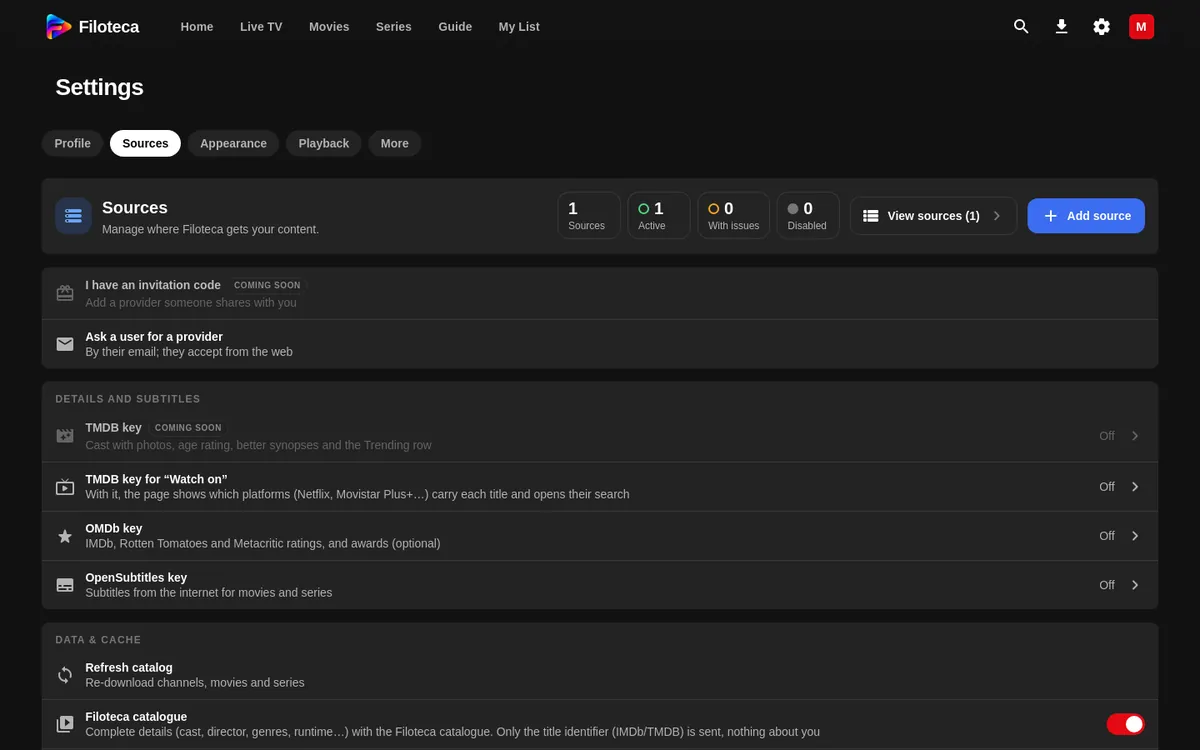
Data and cache
| Setting | What it does |
|---|---|
| “Refresh catalog” | Downloads channels, movies and series again. |
| “Update the catalog every day” | With the app open, every 24 hours. |
| “Refresh EPG guide” | Downloads the guide and shows the last time. |
| “Filoteca catalogue” | Switch for the data catalogue. |
| “Details from TMDB” | When to use TMDB. |
| “Clear local cache” | Deletes temporary data; it does not touch sources or My List. |
What Filoteca stores and where
- Everything on your device: sources, passwords, profiles, favourites and progress. There is no account and no copy on a server.
- Licence: the device is identified by an installation identifier and renews every few days.
- Anonymous statistics (Settings → More → About → Data and privacy): how many times each feature is used, with no titles, addresses or personal data. During the beta they are mandatory (“On (beta)”). There is an option to “Reset anonymous ID” and another to “Leave the beta on this device”.
- Legal details: privacy policy.
Resetting the app
Settings → More → Diagnostics → “Reset the app” deletes sources, favourites, progress, viewers, settings, downloads and cache, and returns to the welcome tour. It keeps the licence. It cannot be undone.