
Home is the entry screen. It consists of a featured header and several rows that only appear when there is enough data, so yours may have fewer than someone else's.
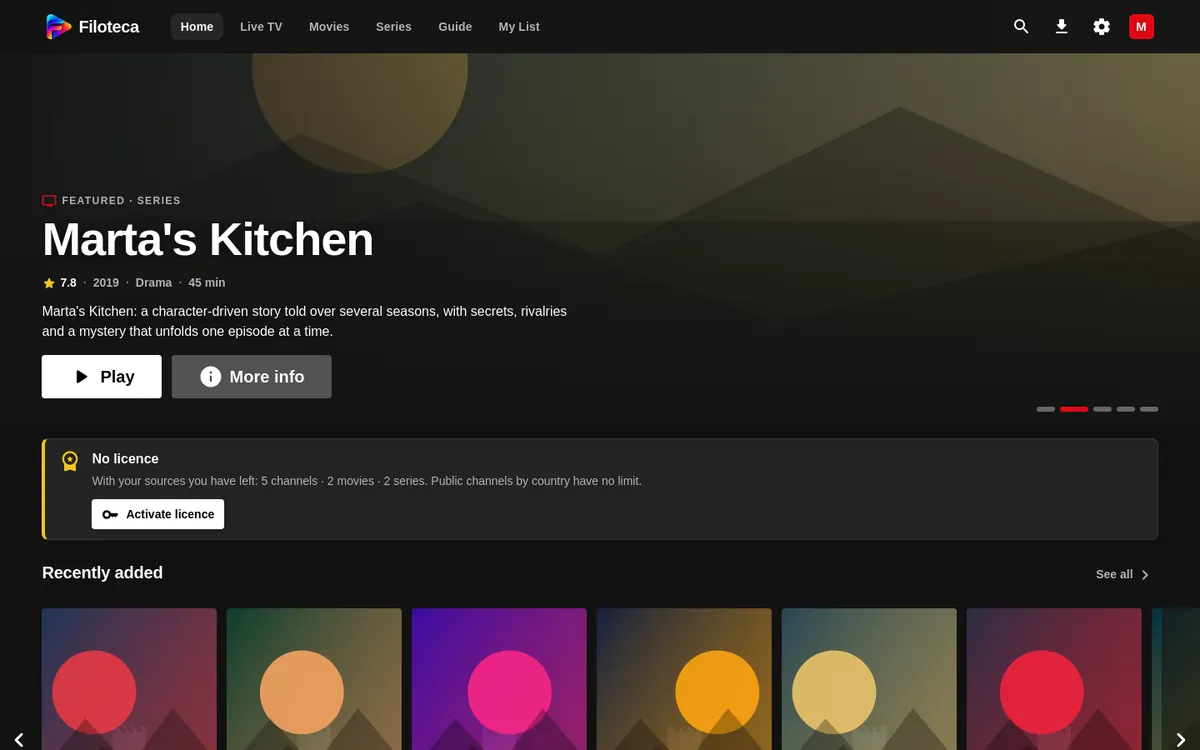
The featured header
A carousel of “Featured” or “New” titles that advances by itself (every 8 seconds by default). You can adjust the timing or turn it off in Settings → Appearance → “Header auto-advance”.
The rows
| Row | What it contains |
|---|---|
| Continue watching | Partly watched movies and the latest episode of each series. |
| Continue live | Channels you watched recently. They are added after a few seconds of watching, not by channel-surfing. |
| New in your libraries | What is new on your Jellyfin, Emby and Plex servers. |
| Recently added | The latest additions from your sources. |
| Recommended for you and Because you watched… | Suggestions based on what you have watched. |
| Trending and Top 10 | The most watched of the week (needs TMDB data). |
| Collections and Top rated | Sagas and the best-rated titles. |
| My List | Your favourites. |
| Favourites / Recent channels / Live now | A row of channels; the title changes depending on what you have. |
| Categories | Up to four rows of movie categories and two of series. |
If there is nothing yet, Home tells you and takes you to explore. If you have no sources, the first screen is the “Add a source” assistant (How to add a source).
Card options
In “Continue watching”, the ⋮ menu on each card offers Resume, More info, Add to My List, Mark as watched / unwatched and Remove from Continue watching.
Customising Home
In Settings → Appearance:
- “Home follows my filters”: the rows respect the filters you have set in Live TV, Movies and Series.
- “Channels in ‘Continue watching’”: turns off the recent channels row. With “Clear recent channels” you empty it.
- “Smaller channels on Home”, “Featured header” and more (Appearance).