
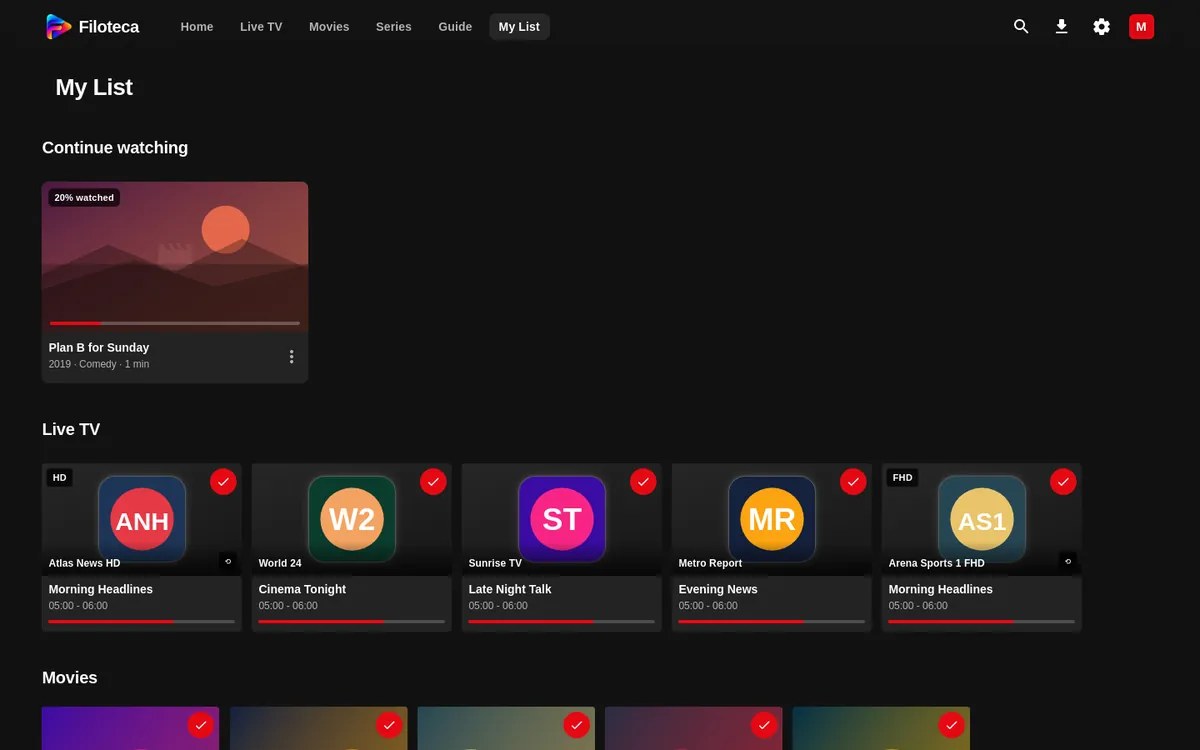
My List gathers what you have saved and what you have partly watched, separated by type.
What is inside
- Continue watching: movies you have started and series in progress.
- Live TV: your favourite channels.
- Movies and Series that you have saved.
Adding and removing
- The + button on a card (it turns into ✓).
- The heart on the detail page or in the player.
- The “Add to My List” option in the menus, or a long press / hold OK on the title.
- To remove: “Remove from My List” or press the same button again.
Each viewer, their own list
Each viewer profile has its own My List, its own “Continue watching” and its own recent channels. To clear a profile's history: Manage viewers → edit → “Clear history” (Profiles and parental controls).
Recent channels
They appear in the “Recent” filter of Live TV and in the “Recent channels” row on Home. They are cleared in Settings → Appearance → “Clear recent channels”.