
Xtream Codes is an account type that many TV and video services offer their customers, with a server, a username and a password. Filoteca reads it directly and shows you live channels, movies, series and the programme guide (EPG).
What you need
Your provider will have given you three details:
- The server address, with the port, for example
http://servidor.com:8080. - Your username.
- Your password.
Adding it
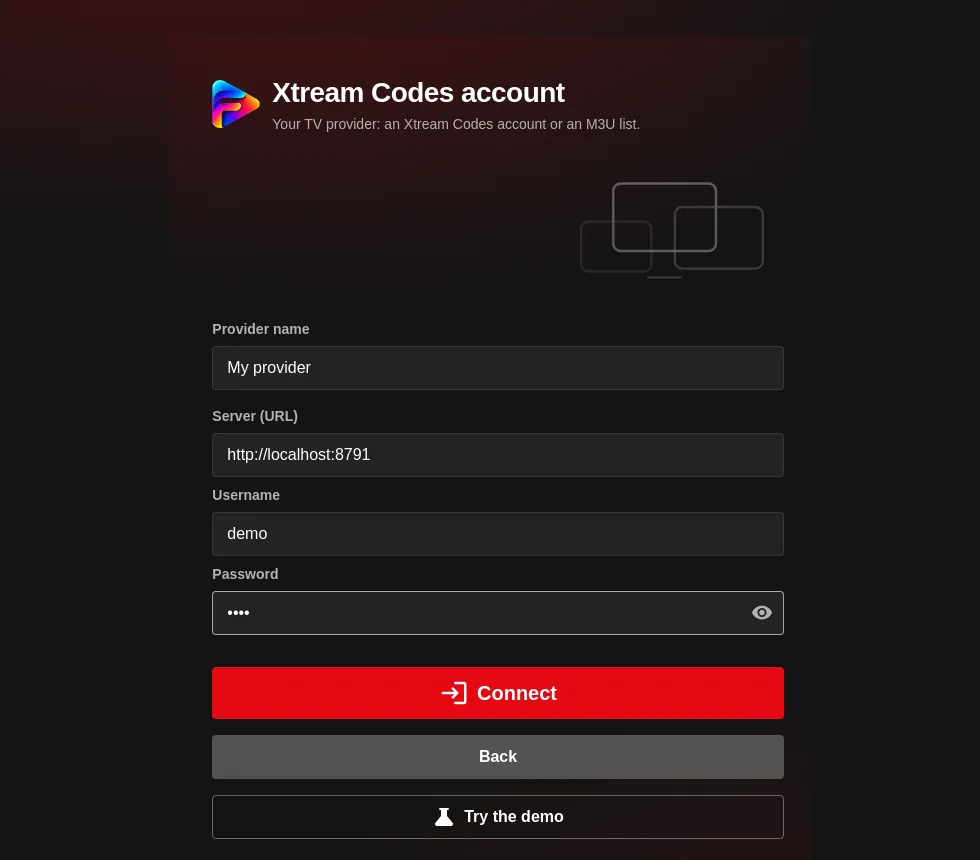
- Settings → Sources → Add source → TV and live broadcasts → Xtream Codes account (“An account you already have with your provider”).
- Fill in the fields:
- Provider name: whatever you like (if you leave it empty, the server's name is used).
- Server (URL): the full address with
http://orhttps://and the port. - Username and Password.
- Press “Connect”. Filoteca checks access before saving the source.
If you paste a list address of the form get.php?username=…&password=… into the M3U list form, Filoteca recognises it and automatically converts it into an Xtream account.
Choosing what to import
If the account has a lot of content, the app asks “What to import”: tick the categories you want to see. You can change this whenever you like with “Choose what to import” on the source. Fewer categories means a faster, clearer catalogue.
Account status
On the source's card you will see whether it is Active, Expiring soon, Expired, Disabled, Not responding or has Credentials rejected. “Check now” queries it again. Adding an expired account is allowed, but the app warns you: “Provider added, but its subscription has expired”.
Common problems
| Message or symptom | What to do |
|---|---|
| “Wrong username or password, or inactive account.” | Check the details and that your subscription is still active. Watch out for stray spaces when copying. |
| “Could not reach the server. Check the URL or enable the proxy in Settings.” | Check that the address includes the port and the http://. If your provider blocks direct access from the app, try the proxy setting. |
| The programme guide is empty | Not every account offers an EPG; you can try another guide source on M3U lists. |
| There is too much content and it is slow | Use “Choose what to import” to keep only the categories you watch. |
Every title you play from your own sources counts towards the allowance if you do not have a licence (the beta and the licence).