
Settings → Appearance controls how Filoteca looks and how you use it.
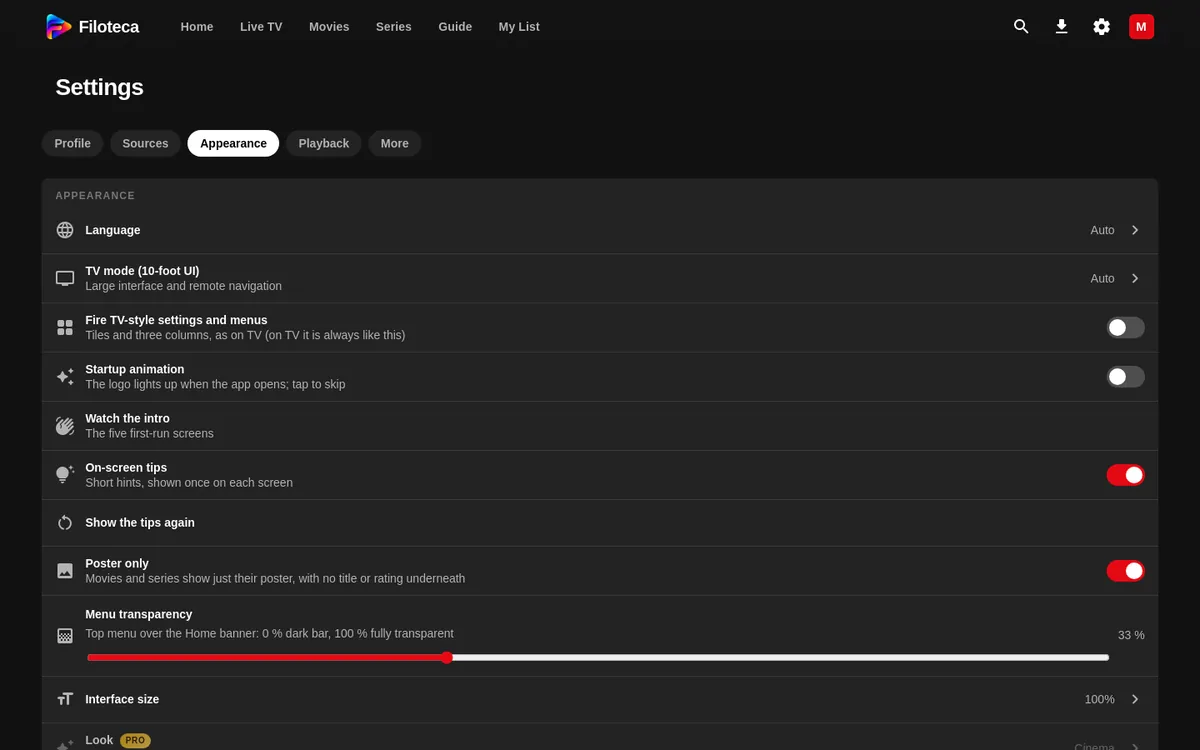
General
| Setting | What it does |
|---|---|
| Language | “Auto” or one of the six languages. |
| TV mode (10-foot UI) | “Auto”, “On” or “Off”: large interface and remote navigation. |
| Fire TV-style settings and menus | Cascading settings as on the TV (not shown on the TV, where it is already like that). |
| Interface size | 85 %, 100 %, 115 % or 130 %. |
| Menu transparency | From 0 to 100 % (only on a TV or wide screens). |
| Startup animation | With “Animation sound” and “Watch the animation”. |
| Watch the intro | Replays the 5-screen welcome tour. |
| On-screen tips | The tip bubbles, with “Show the tips again”. |
| Poster only | On by default. |
Look, theme and colours
- “Look” (styles): Cinema (the original), Paper, Terminal, Pastel, Retro TV, Console, Mosaic, Catalogue, Aurora, Stage, Stage by day, Newsstand, Newsstand night and Noir. They change the design and move the bar. They can also be imported (JSON file), copied and deleted. Without a licence only “Cinema” is available.
- “Theme”: “Dark”, “Light” or “Follow system” (only with the Cinema look).
- “Interface colour”: Original (red), Ocean (blue), Emerald (green), Amethyst (purple), Amber (orange) and Rose.
New looks
Besides the ones above there are Stage (Platea: like Prime Video on TV — what you look at is shown large on top, the focus frame stays put and the rows move), Drive-in, Synthwave, Gala, Abyss, Comic Panel, Folio, Zen and Video Store. A look can be meant for certain devices: Stage and Drive-in are offered on TV and desktop only; on a phone they do not appear and, if they were selected, Cinema is used.
Home and detail pages
- “Header auto-advance”: doesn't advance / 5 / 8 / 12 / 20 s.
- “Featured header” (with “Bar over the header”).
- “Home follows my filters” and “Smaller channels on Home”.
- “Channels in ‘Continue watching’” and “Clear recent channels”.
- “Order ‘More like this’ by my taste”.
- “Hover card”, with “Where it expands” (“Inside the row” or “Floating”); only with a mouse or TV.
- “Episodes”: automatic, cards with picture or list.
- “Title details”: short or full.
- “‘Trailer’ button on the title page”.
- “Navigation sounds”: automatic (TV only), always or off.
- “Transition between sections”: how each screen comes in when you switch sections (Home, Movies, Series…). “As the style sets” uses the look's own entrance or, if it has none, slide; also Fade, Slide, From the left or right, Rise, Drop, Zoom in, Zoom out, Blur, 3D turn, Curtain, Accordion, Cascade, Random or None.