
An M3U list is a file (or a web address that serves one) containing a list of channels or videos. Filoteca reads it and sorts it into channels, movies and series according to what it contains, and it can show the programme guide (EPG) if you give it the address of one.
Adding it
- Settings → Sources → Add source → TV and live broadcasts → M3U list (“A list of channels or videos you already have”).
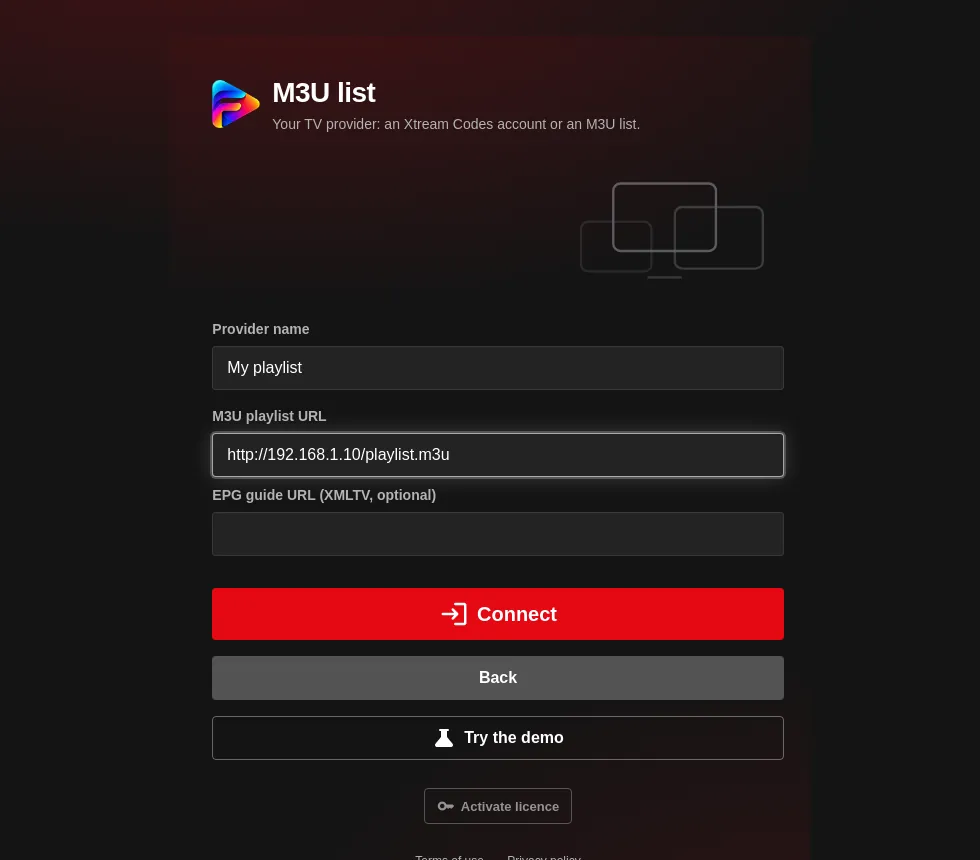
- Fill in:
- Provider name.
- M3U playlist URL, for example
http://…/lista.m3u. - EPG guide URL (XMLTV, optional). It accepts
.xml.gzfiles. If you leave it empty, Filoteca uses the guide address that the list itself gives in its header (url-tvg). - Press “Connect”.
What it recognises
- Live channels, movies and series (depending on how the list marks each entry).
- Channel groups and logos.
- If the address is an Xtream
get.phptype, it is converted into an Xtream account (Xtream guide).
Programme guide (EPG)
The EPG is loaded from an XMLTV address. For the programmes to appear next to each channel, the guide's identifiers must match those in the list. If you see no schedule:
- Check that you entered the guide URL (or that the list carries
url-tvg). - Try Refresh EPG guide in the settings.
- Check that the guide belongs to that same list.
Common problems
| Message | What to do |
|---|---|
| “Could not read the M3U playlist.” | The list is empty or is not a valid M3U; open the address in a browser to check. |
| “Could not reach the server. Check the URL or enable the proxy in Settings.” | The address does not respond or blocks the app. Check the URL and try the proxy. |
| “You have already added that list.” | The same address is already among your sources. |
Lists are refreshed along with the catalogue: you can force it with “Update catalog” on the source, or turn on “Update the catalog every day” in Settings.