
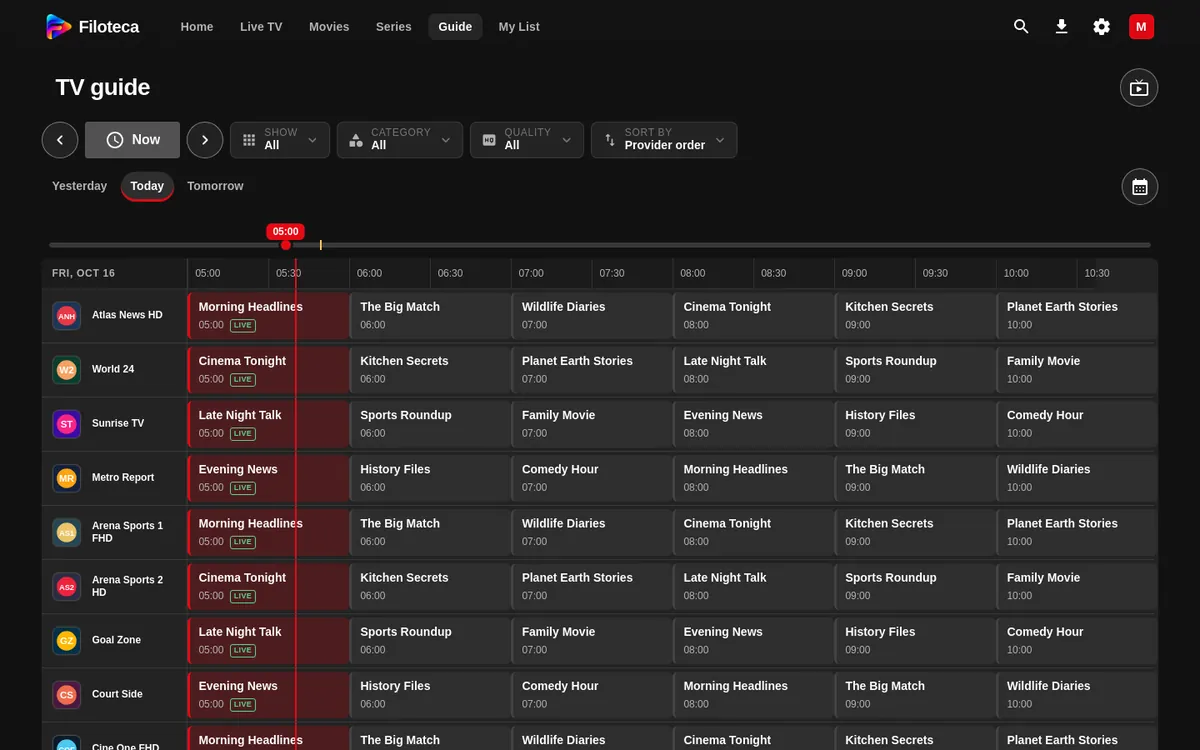
The Guide shows your channels' schedule on a grid: channels in rows and time in columns. It needs your sources to offer a programme guide (EPG) (M3U list, Xtream).
How to use it
- The grid shows a 6-hour window with 30-minute cells.
- Buttons: ‹ “Earlier”, “Now”, › “Later” (they jump 2 hours at a time), “Calendar” to pick the day and a slider to “Jump to another time”.
- It has the same filters as Live TV.
- Pressing the programme on air now plays the channel. Pressing another one opens its “Programme details”, with “Go live”, “Watch from the start” (if there is an archive), “Watch channel” and “Similar”.
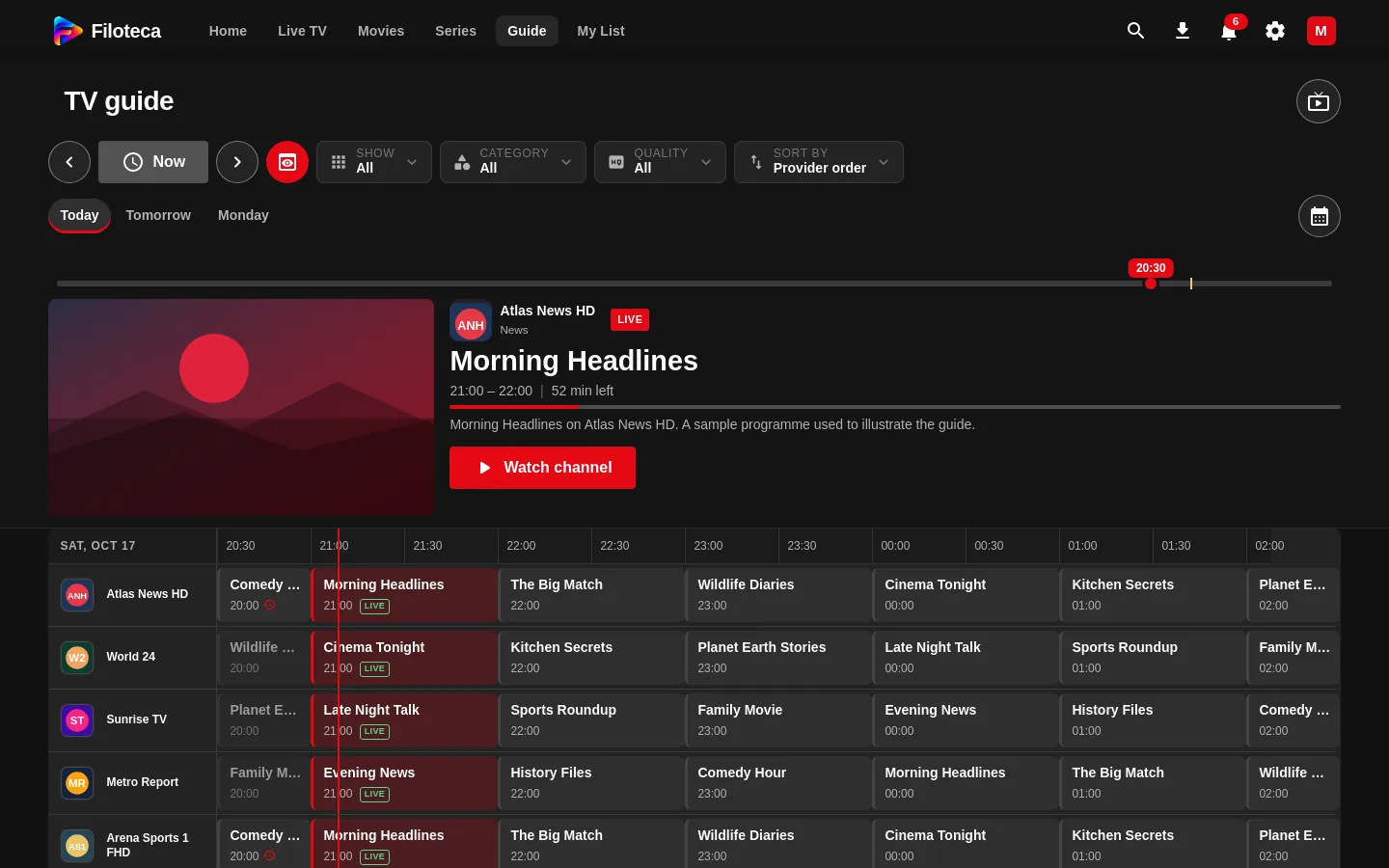
- Preview (optional, off by default): turn it on in Settings → Playback → “Preview in the Guide”. A button then appears next to “Now” and, above the grid, a window with the channel you are on and a card with its programme: the title, the times and, if it is on air, the minutes left with a progress bar; “Starts at…” if it has not started yet and “Ended at…” if it has finished. The “Watch channel” button opens it full screen. The button lets you hide or show it; the app remembers what you choose.
On a phone the Guide is not in the bottom bar: open it from the ☰ menu or from your photo.
Refreshing the guide
Settings → Sources → “Refresh EPG guide” downloads it again and shows when it was last updated.
If the guide is empty
- You will see “No schedule” or “No program information” on channels without data.
- Some providers do not offer a guide, or their identifiers do not match the channels'. On an M3U list you can enter another XMLTV address.
- “The guide could not be loaded” is usually a network problem or a compressed guide that the device cannot open; try again later.